Website Migration SEO Checklist
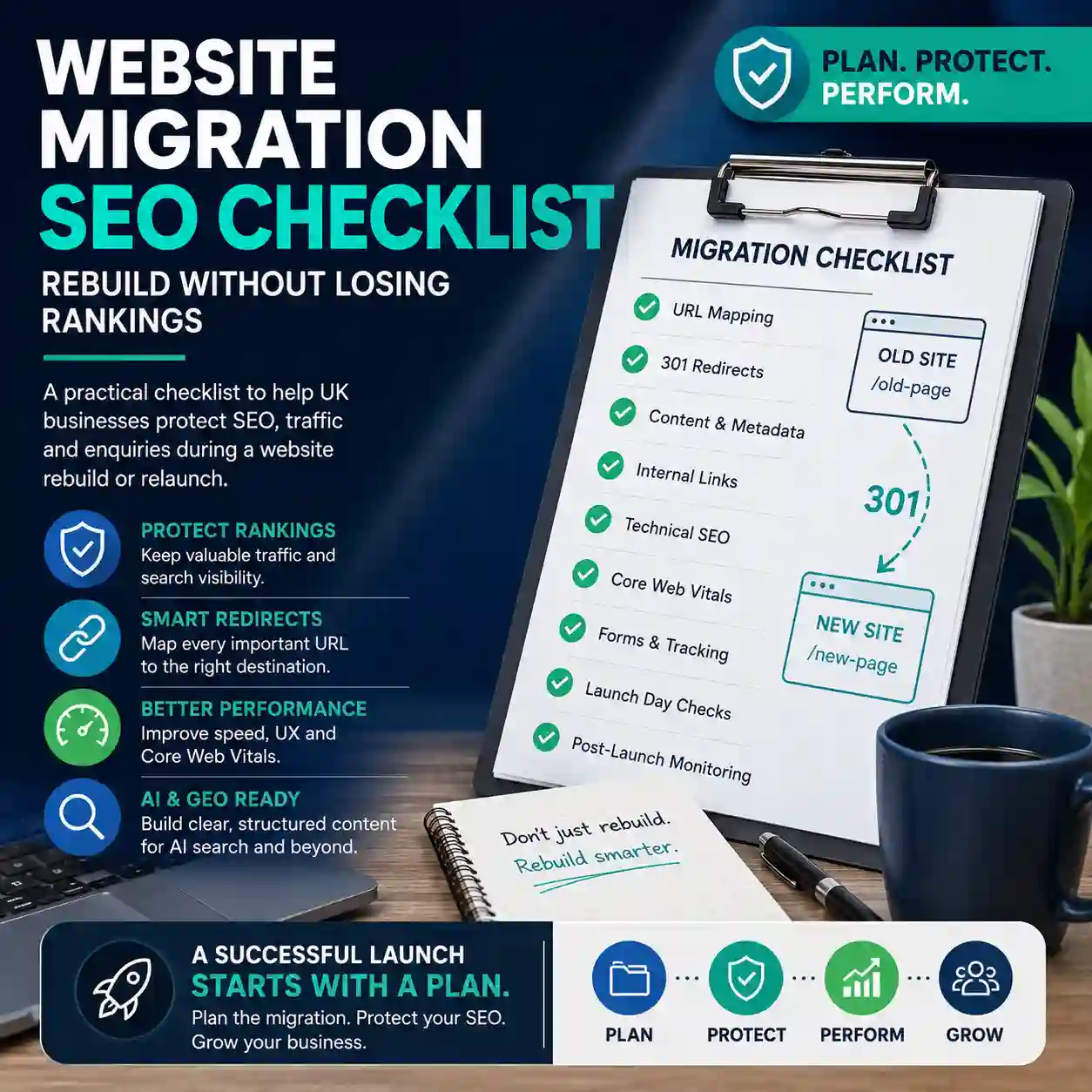
A website rebuild can improve design, speed, structure, SEO, GEO and conversions — but only if the migration is planned properly. This website migration SEO checklist explains what UK businesses should protect before, during and after a relaunch so valuable rankings, traffic and enquiries are not lost unnecessarily.
What is website migration SEO?
Website migration SEO is the process of protecting search visibility when a website changes platform, design, structure, content, URLs, hosting or technical setup. It is especially important during a website rebuild, redesign, CMS change, domain move or major content restructure.
A migration is not only a development task. It affects how Google, AI search systems and users understand your website. If key pages are removed, URLs change without redirects, metadata is lost, internal links break or performance drops, a relaunch can damage rankings and enquiries.
Forwardify treats migration planning as part of a wider website rebuild strategy, combining technical SEO, content structure, performance, GEO readiness and conversion-focused design.
Why SEO migration matters during a website rebuild
Many businesses rebuild their website because the old one is slow, outdated, hard to update or no longer generating enough enquiries. The rebuild is a chance to improve, but it can also remove pages and signals that were quietly supporting existing visibility.
A good SEO migration plan helps you:
- Keep valuable URLs, rankings and organic traffic where possible.
- Redirect old pages to the most relevant new pages.
- Preserve useful content, titles, headings and internal links.
- Improve speed, Core Web Vitals and mobile experience.
- Strengthen service page structure and local relevance.
- Prepare content for traditional SEO, GEO and AI search interpretation.
- Reduce launch-day errors that affect enquiries, forms and tracking.
Website migration SEO checklist: before the rebuild
The most important SEO migration work happens before design and development are finished. If you wait until launch week, it is much harder to protect rankings and fix structural issues without delaying the project.
- Crawl the current website: collect all indexable URLs, page titles, meta descriptions, headings, canonical tags and status codes.
- Review current performance: identify pages that bring traffic, enquiries, calls, form submissions or local visibility.
- Export existing URLs: create a master URL list from the sitemap, crawl data, analytics, Search Console and CMS.
- Identify priority pages: mark pages that should be kept, improved, merged, redirected or removed.
- Map keywords and intent: decide which page should target each important service, location, question or commercial theme.
- Check internal links: note which pages currently receive links from menus, footers, blog posts and service pages.
- Benchmark Core Web Vitals: record speed and user experience issues that the rebuild should improve.
- Plan the new structure: organise pages around real services, audience needs, search demand and enquiry journeys.
Create a URL migration map
A URL migration map is one of the most important documents in a website rebuild. It connects every important old URL with the correct new destination.
Your migration map should include:
- Old URL
- New URL
- Page purpose
- Current title tag
- New title tag
- Target keyword or topic
- Redirect type
- Priority level
- Notes for content, design or development
Where possible, keep strong existing URLs unchanged. If a URL must change, use a relevant one-to-one 301 redirect rather than sending every old page to the homepage. A generic redirect can confuse users and search engines because it removes the connection between old intent and new content.
Protect high-value content and metadata
A redesign can accidentally strip away the very signals that helped a page rank. Before changing content, identify what is already working and what needs improvement.
Protect or improve:
- Page titles: keep important keyword and service signals while improving clarity and click appeal.
- Meta descriptions: rewrite where needed, but do not leave priority pages blank.
- H1 and H2 structure: make headings clearer, more specific and easier to scan.
- Service explanations: preserve useful detail, proof, locations, FAQs and conversion messaging.
- Images and alt text: keep relevant descriptive image information and optimise file sizes.
- Schema markup: review FAQ, Service, LocalBusiness and other structured data opportunities.
- Internal links: ensure important service and support pages remain easy to discover.
If the old content is weak, the rebuild is an opportunity to improve it. The key is to make changes intentionally, not accidentally lose useful search signals during the design process.
Build GEO and LLM readiness into the migration
Modern website migration is not only about preserving traditional rankings. It is also a chance to make the website easier for AI answer engines, Google AI features and large language models to understand.
During migration, improve:
- Entity clarity: explain who the business is, what it offers, where it works and who it helps.
- Service definitions: describe each service in clear, answer-ready language.
- FAQ structure: answer real questions in concise, useful blocks.
- Internal knowledge architecture: link related services, guides, case studies and contact paths logically.
- Trust signals: include experience, proof, process, service areas and clear calls to action.
- Structured content: make key pages easier for both users and AI systems to parse.
Forwardify’s GEO services and LLM optimisation services are designed to support this kind of clearer, AI-ready website structure.
Check technical SEO before launch
Before the new website goes live, complete a technical SEO review on the staging version. This helps catch avoidable issues before search engines and users reach the new site.
- Check that important pages are indexable.
- Remove accidental noindex tags from live pages.
- Confirm canonical tags are correct.
- Test all planned 301 redirects.
- Check navigation, footer and key internal links.
- Review XML sitemap output.
- Check robots.txt rules.
- Test contact forms, phone links and enquiry journeys.
- Confirm analytics and conversion tracking are working.
- Compress images and remove unnecessary scripts.
- Check mobile layouts and responsive behaviour.
- Test Core Web Vitals and page speed.
This is where technical SEO, website development and page speed optimisation should work together rather than being treated as separate tasks.
Launch-day SEO migration checklist
Launch day should be controlled, calm and checklist-led. Avoid launching late on a Friday or just before a busy business period if the website is important for enquiries.
- Push the approved website live.
- Confirm HTTPS is active and stable.
- Test old URLs and confirm 301 redirects work.
- Check priority service pages load correctly.
- Submit or refresh the XML sitemap.
- Check robots.txt is not blocking important pages.
- Run a live crawl to catch broken links or missing pages.
- Test forms, email notifications, phone links and CTA buttons.
- Check analytics, events and conversion tracking.
- Review page speed on key templates.
- Spot-check titles, descriptions, headings and schema.
- Record any issues and prioritise fixes immediately.
Post-launch checks: the first 30 days
SEO migration does not finish at launch. The first few weeks are important because this is when crawl errors, redirect issues, ranking changes and user journey problems usually appear.
Monitor:
- Indexing status
- 404 errors
- Redirect chains
- Organic landing pages
- Keyword movement
- Enquiry volume
- Form submissions
- Phone and WhatsApp clicks
- Core Web Vitals
- Conversion rate
- Internal search behaviour where relevant
Some fluctuation after a rebuild is normal, but unresolved technical problems should not be ignored. Post-launch monitoring helps separate expected settling from issues that need action.
Common website migration mistakes to avoid
Most migration problems are avoidable when SEO is included from the start of the rebuild.
- Deleting useful pages without a redirect plan: this can remove existing visibility and confuse users.
- Redirecting everything to the homepage: this weakens relevance and creates a poor journey.
- Changing all URLs unnecessarily: if a URL already works, keeping it can reduce risk.
- Losing metadata: missing titles and descriptions can reduce clarity and click-through potential.
- Ignoring internal links: important pages need links from menus, footers, service pages and supporting articles.
- Launching a slower website: better design should not come with worse performance.
- Forgetting forms and tracking: a beautiful website is still a problem if enquiries are not captured.
- Leaving GEO until later: AI-ready structure is easier to build into the rebuild than bolt on afterwards.
When should you use an SEO migration specialist?
You should consider professional support if your website currently ranks, generates enquiries, has many pages, uses a CMS, has blog content, serves multiple locations, includes ecommerce, or depends on forms and conversion tracking.
An SEO migration specialist can help you protect what already works while improving what does not. That includes URL mapping, redirect planning, page structure, metadata, schema, internal links, Core Web Vitals, content quality and post-launch monitoring.
For businesses in Watford, Rickmansworth, Hertfordshire, London and across the UK, Forwardify can combine rebuild planning, SEO migration, GEO structure and development into one joined-up project.
FAQs: Website Migration SEO Checklist
An SEO website migration is the process of protecting search visibility when a website is rebuilt, redesigned, moved to a new platform, restructured or relaunched. It includes URL mapping, redirects, metadata, content, internal links, technical SEO and post-launch monitoring.
Yes, a rebuild can damage SEO if URLs change without redirects, important pages are removed, content is weakened, metadata is lost, internal links break, noindex tags are left in place or the new website is slower than the old one.
A website migration checklist should include a full URL crawl, analytics review, keyword and page mapping, redirect plan, metadata review, content preservation, internal link checks, technical SEO testing, Core Web Vitals checks, form testing and post-launch monitoring.
You need 301 redirects when old URLs are replaced by new URLs. Each important old page should redirect to the most relevant new page, not automatically to the homepage.
The first 30 days are especially important, but monitoring should continue beyond launch if the website is commercially important. Watch indexing, 404 errors, redirects, rankings, traffic, Core Web Vitals and enquiries.
Yes. A migration is a good time to improve entity clarity, answer-ready content, internal linking, service definitions, FAQs and schema. These improvements can support traditional SEO, GEO and LLM optimisation.
Planning a website rebuild or relaunch?
Forwardify can help you rebuild your website without wasting existing SEO value. We plan URL mapping, redirects, content structure, performance, GEO readiness and post-launch checks around your business goals.

Thomas Carpenter
FounderWorking closely with clients to create visually compelling, strategic solutions built for long-term growth is what we do.
Contact us Whatsapp